
Overview
Stock Control is a business management software designed for Windows operating systems, offering tools to enhance operational efficiency through employee productivity tracking and comprehensive inventory management. The application is intended for businesses seeking to streamline daily operations by integrating workforce oversight with stock and sales monitoring. Its primary purpose is to provide managers with actionable insights into both human performance and inventory levels, enabling data-driven decisions that improve overall business performance. The software targets small to large enterprises across various sectors, including retail, wholesale, and service-based industries, where maintaining accurate stock records and monitoring employee output are critical. While the developer’s background is not publicly detailed, the application has been in use since its release on August 13, 2007, indicating a long-standing presence in the business software market. This longevity suggests a level of stability and user retention, though specific user statistics are not available. Real-world use cases include monitoring shift performance in retail stores, managing reorder points for warehouse inventory, and generating daily reports on sales trends and employee activity. These functions support consistent business operations, reduce human error, and help prevent overstocking or stockouts. In the broader app ecosystem, Stock Control serves as a specialized utility for Windows users who require a dedicated solution for internal business control rather than relying on generalized or cloud-based alternatives. Although the developer did not provide additional technical details, the application’s focus on core business functions highlights its role as a practical tool for operational continuity and performance optimization in desktop environments.Key Features & Functionality
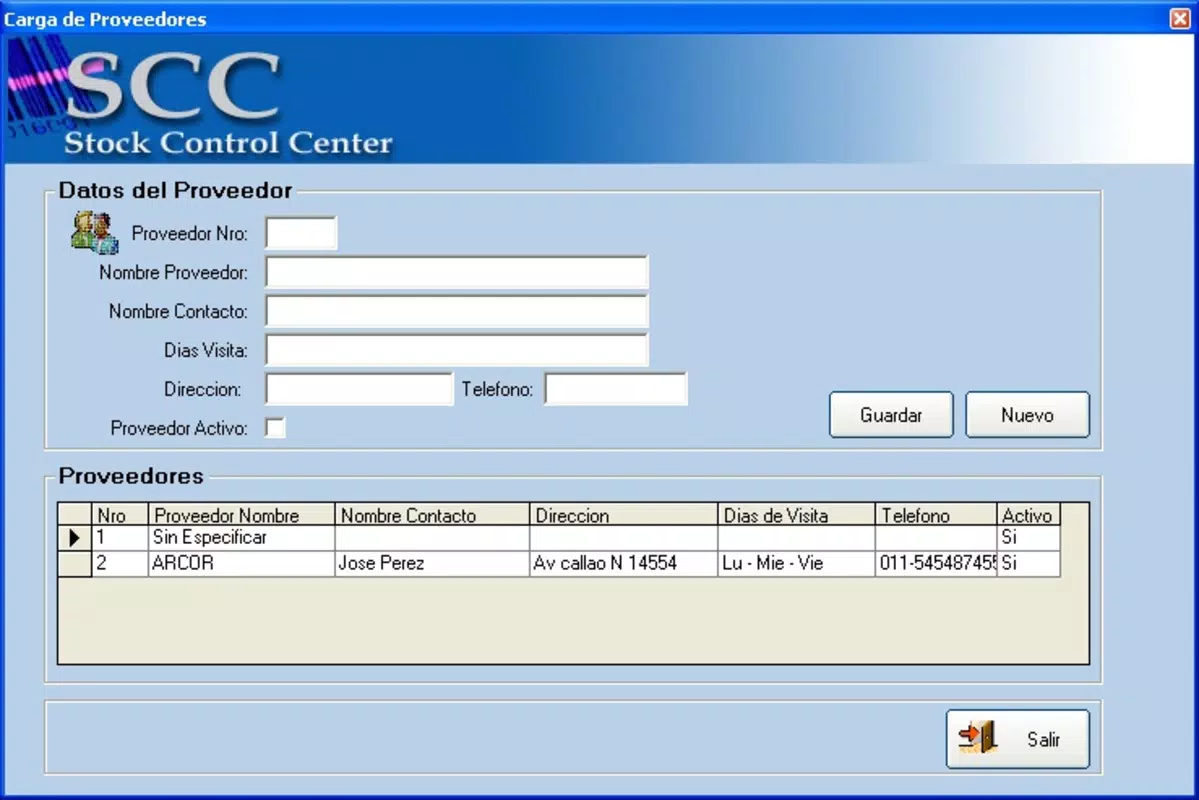
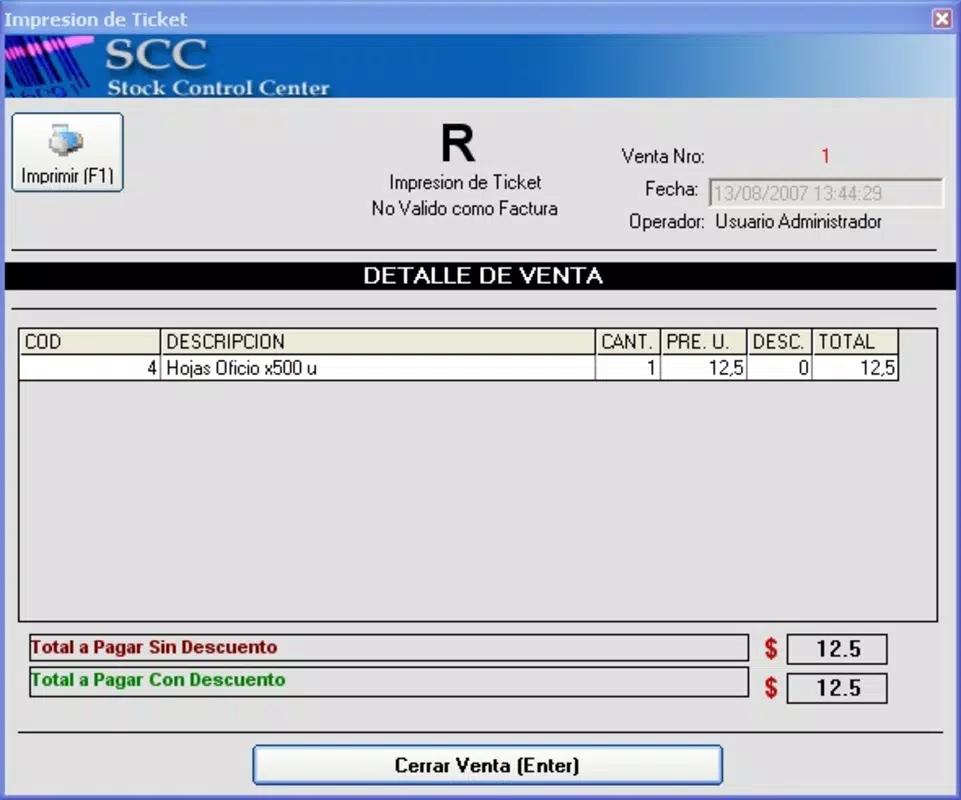
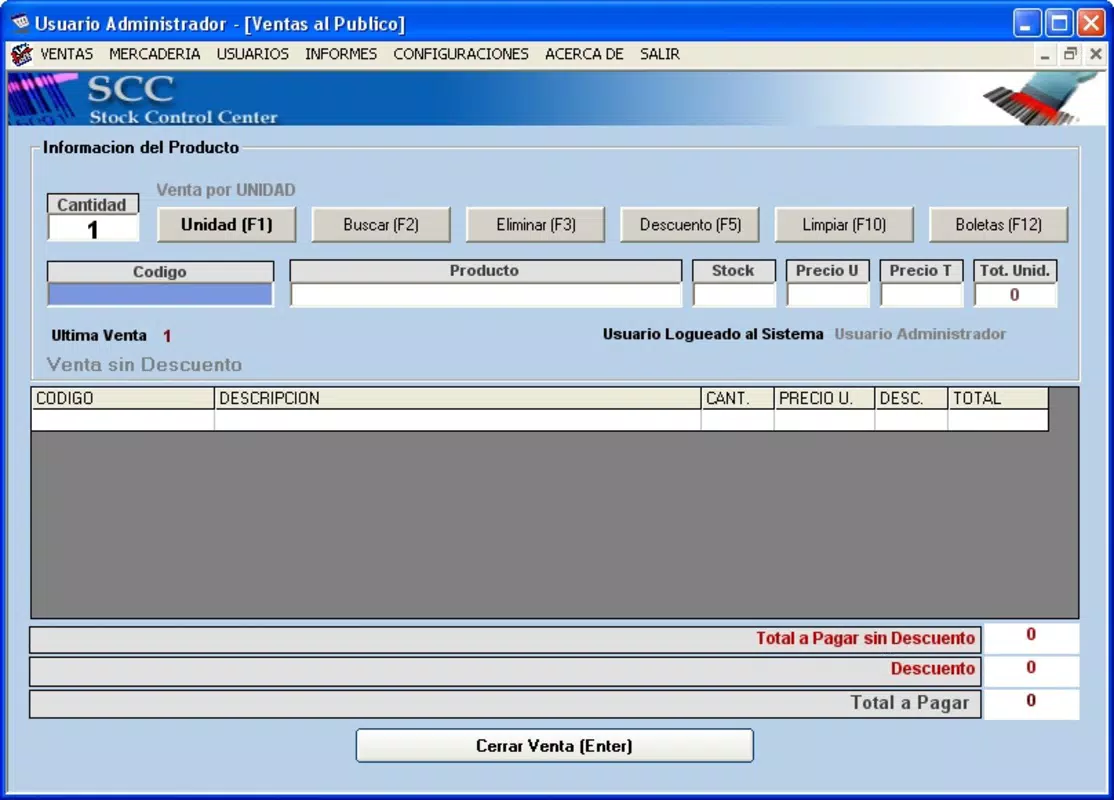
Stock Control delivers a suite of features tailored to modern business needs, with a strong emphasis on productivity and inventory oversight. The Employee Productivity Tracking module enables managers to collect and analyze performance data across work shifts, offering statistical insights into individual and team efficiency. This feature allows supervisors to identify peak performance periods, detect underperformance, and make informed staffing or training decisions—ideal for businesses aiming to maximize labor utilization. The Comprehensive Stock Control system provides full visibility into inventory levels, order history, and sales trends. Users can monitor stock in real time, set low-stock alerts, and generate reports on product movement, helping to maintain optimal inventory turnover. This functionality is especially beneficial for businesses with high-volume transactions or complex supply chains. The user-friendly interface ensures intuitive navigation, allowing new users to access core functions without extensive training. Menus are logically organized, and key actions such as updating stock or viewing performance dashboards are accessible within a few taps. This design reduces onboarding time and supports faster adoption across departments. Additionally, the software is built specifically for Windows, ensuring seamless integration with existing desktop environments and legacy systems. This compatibility allows businesses to leverage their current IT infrastructure without requiring costly upgrades or migrations. Each feature is designed to reduce manual workload, minimize errors, and support consistent operational standards. For example, a retail manager could use the productivity module to evaluate cashier performance during peak hours while simultaneously checking stock levels for popular products to ensure timely replenishment.Interface, UX & Performance
The user interface of Stock Control is structured to prioritize clarity and ease of access, featuring a clean layout with clearly labeled sections and consistent navigation patterns. Menus are organized by function—such as inventory, employee tracking, and reporting—allowing users to locate tools quickly without confusion. Visual cues, such as color-coded alerts for low stock or performance deviations, enhance readability and support rapid decision-making. Navigation is linear and predictable, minimizing the risk of user errors. Users can switch between modules with minimal clicks, and the software maintains session state, preserving context during multi-step tasks like generating a sales report or updating an employee’s shift log. Although the developer did not list formal performance metrics, the application is designed to run efficiently on standard Windows systems. It is optimized for responsiveness, with minimal lag during data entry, report generation, and dashboard updates. Users can expect stable operation during regular business hours, even when handling multiple tasks simultaneously. The software’s stability appears consistent with its long-term availability since 2007, suggesting reliable operation over extended periods. However, specific details about load handling on low-end hardware or scalability under heavy usage were not disclosed. Overall, the user experience is focused on functionality over visual flair, which suits professional environments where efficiency takes precedence over aesthetics. The interface supports both touch and mouse input, making it adaptable to different workstation setups.Platform Compatibility & Technical Requirements
Stock Control is designed exclusively for Windows operating systems. The software is compatible with Windows-based desktop environments, allowing integration with existing business infrastructure. This platform specificity ensures optimized performance and access to system-level features available on Windows. The current version and file size were not disclosed by the developer. As such, no exact specifications for minimum system requirements, such as RAM, processor speed, or disk space, are available. The developer did not specify minimum OS requirements, so compatibility with newer or older Windows versions remains uncertain. Users should verify system compatibility before installation, particularly if using legacy or updated Windows platforms. While the software has been available since 2007, it may require compatibility mode or additional configuration on newer Windows versions. No information was provided regarding support for mobile platforms, cloud sync, or cross-device access. The application appears to be a standalone desktop tool, not designed for mobile use or remote access.Pros and Cons
- Designed specifically for Windows environments, ensuring seamless integration with existing systems
- Offers dual functionality in employee productivity tracking and inventory management
- User-friendly interface reduces training time and supports quick onboarding
- Long-standing presence in the market since 2007 indicates stability and reliability
- Provides actionable data for performance and stock-level decision-making
- Platform-specific to Windows; not available on mobile or macOS
- No publicly available information on system requirements or file size
- Does not support cloud access or remote device synchronization
- Limited transparency regarding updates, version history, or developer support
- No visible integration with third-party tools or APIs
FAQ
Is Stock Control available for Android or iOS?
Stock Control is designed exclusively for Windows operating systems. There is no mobile version available for Android or iOS devices.
Can I download Stock Control for free?
The pricing information for Stock Control was not provided. Users should consult the official source for current pricing and licensing details.
Does Stock Control support cloud storage or remote access?
There is no available information on cloud integration or remote access features. The software appears to function as a standalone desktop application.
How often is Stock Control updated?
Update frequency and version history were not disclosed by the developer. Users are advised to check official channels for the latest release information.
Is Stock Control secure for business data?
While security features are not detailed, the software is designed for internal business use on Windows systems. Users should implement standard data protection practices when handling sensitive information.


